 UzTalk
Speak Uzbek with anyone.
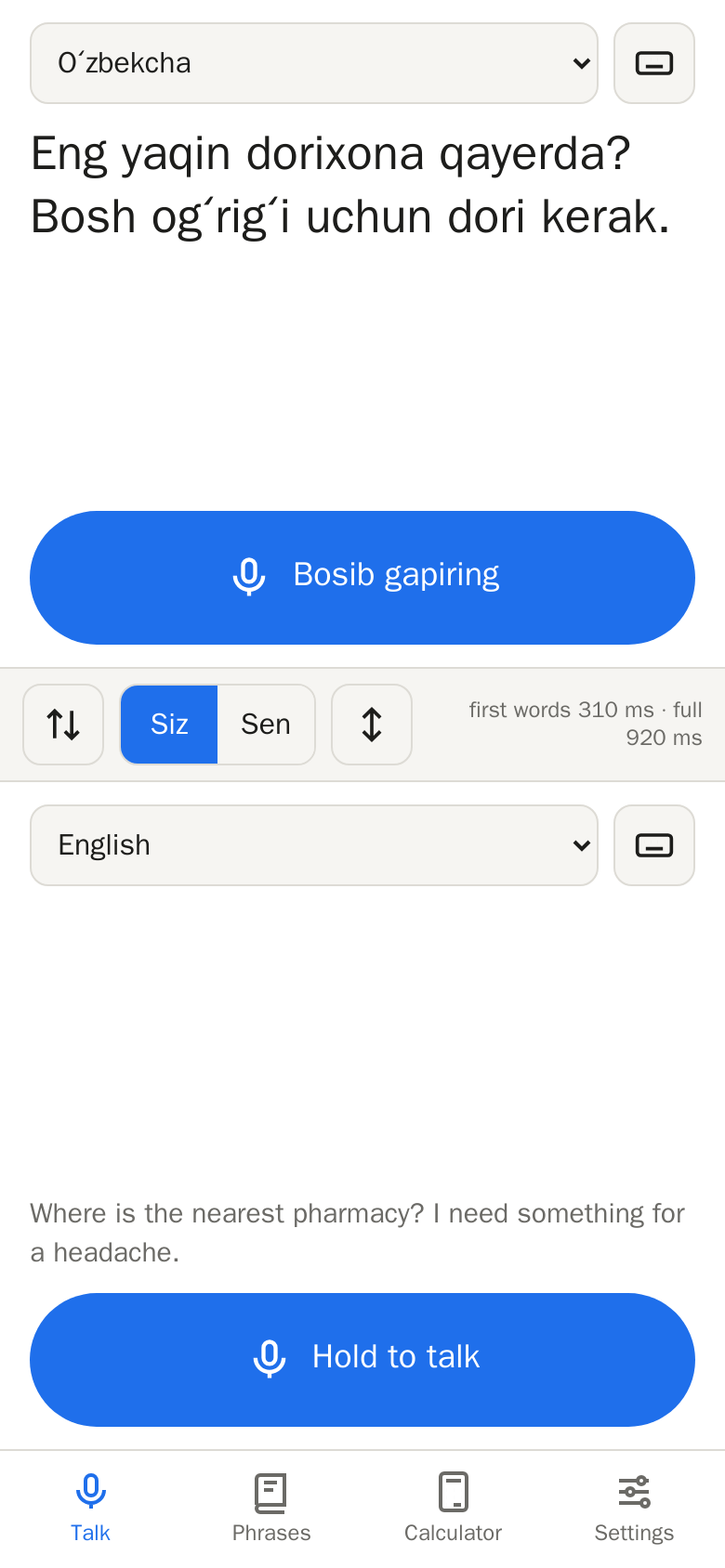
Hold the button and speak. The person across from you reads, and hears, what you said in their language. Made for travellers and business visitors in Uzbekistan.
iPhone: open the browser version in Safari, then Share → Add to Home Screen.
Made for real conversations
At the bazaar, in a taxi, at the hotel desk or in a meeting: one phone, two people, three languages.
Face to face
The screen splits in two, one half for each of you. Lay the phone on the table and the top half turns to face the other person.
Polite or casual
Uzbek says “you” in two ways. Choose Siz for strangers and elders, or Sen for friends.
Sen: Qayoqqa ketyapsan?
Bazaar calculator
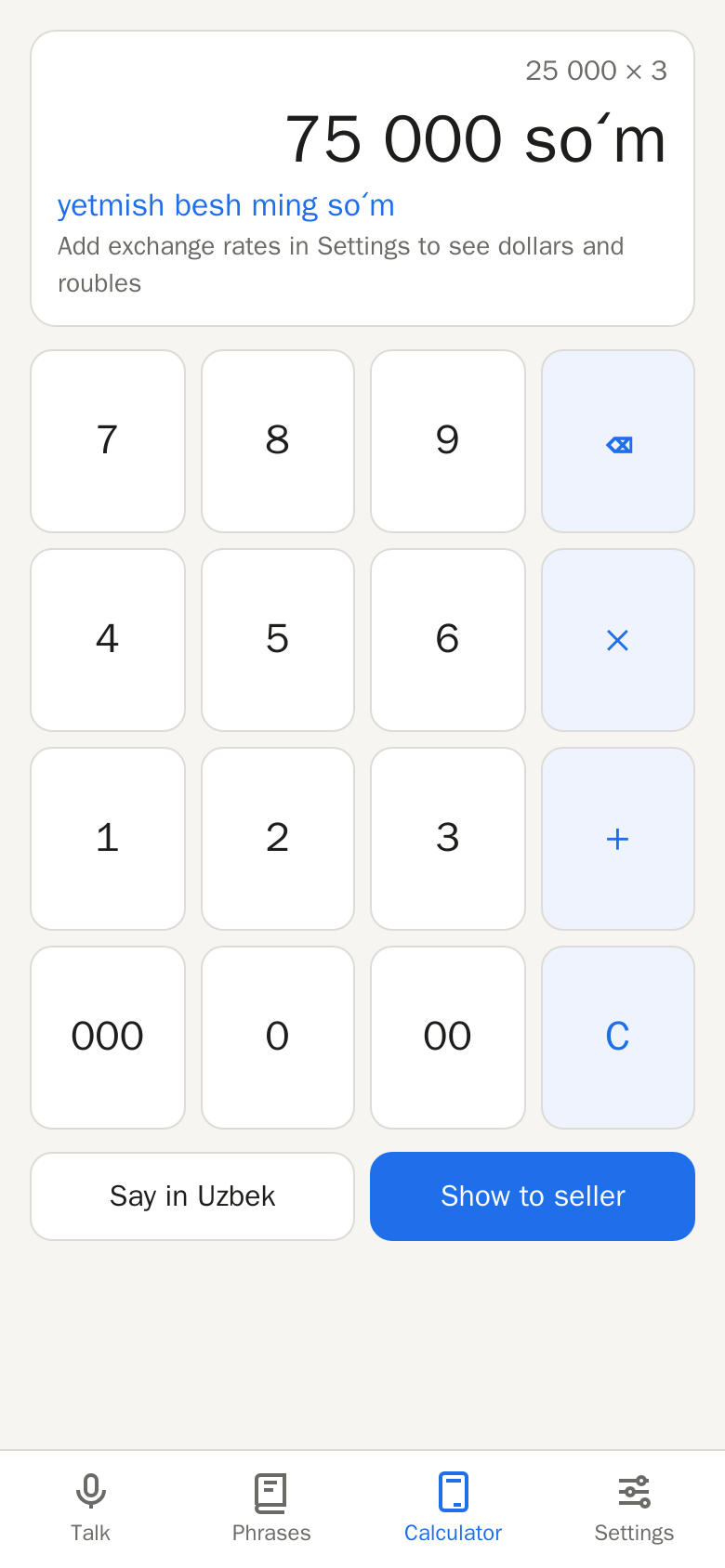
Type a price and show it to the seller in big numbers and in Uzbek words, with dollars and roubles if you like. Works offline.
Phrasebook
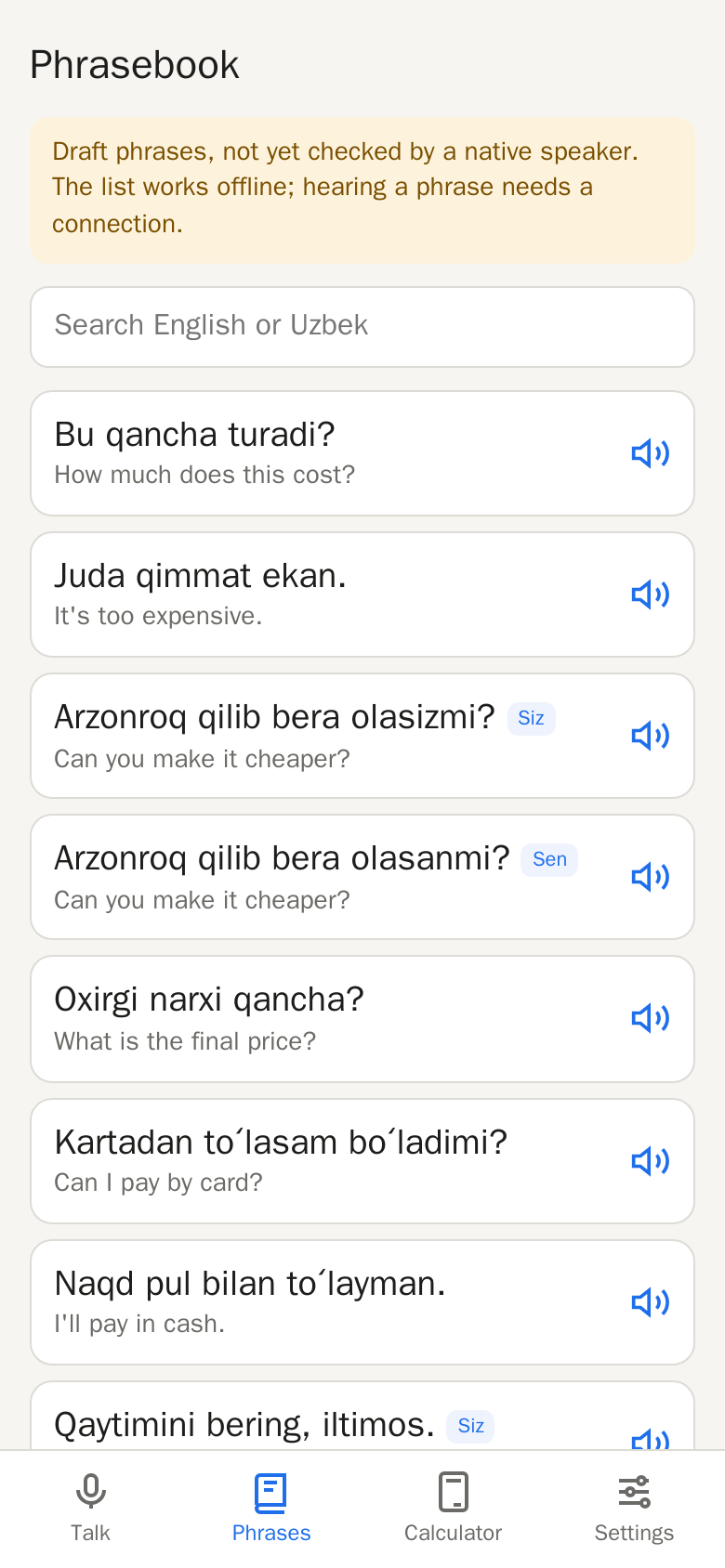
Everyday phrases for shopping, taxis, food, health and asking for help, ready when you need them. Tap one to hear it spoken in Uzbek.
Latin or Cyrillic
Show Uzbek in the Latin alphabet or in Cyrillic (ўзбекча), whichever the person you are talking to reads.
Speak or type
Hold the button and talk, or type when it is noisy. Translations into Uzbek can also be read aloud.
A look inside
Talk, Phrases, Calculator and Settings, all within reach of your thumb.
Install the test build
UzTalk is in testing. Speech recognition and translation run on our server, so you need an internet connection to talk; the calculator and phrasebook also work offline.
Android (8.0 or later)
- Tap Download for Android on this page.
- Open the downloaded file. If Android asks, allow your browser to install apps.
- Open UzTalk and allow the microphone when you first hold the talk button.
iPhone and desktop
- Open uztalk.xoftex.com/app in Safari or Chrome.
- iPhone: tap Share, then Add to Home Screen, to use it like an app.
- Allow the microphone when you first hold the talk button.
Your voice is not kept
What you say is turned into text and translated in memory on our server, then discarded. We do not store your recordings. Your settings stay on your phone.